
AI shoe photography: every angle a shoe needs, and on foot
A shoe sells on a handful of photos: the profile, the front, the details and how it looks when worn. Upload phone photos of the pair and get studio shots and on-foot lifestyle images without a photographer or a model.
Your first 5 images free · No credit card needed


The angles every shoe listing needs
- Side profile. The most important shot and the main image in most shoe stores: the full length from toe to heel, the sole line and the overall silhouette.
- Front. Shows the width, the fastening (laces, buckle or strap) and the symmetry of the pair.
- Sole. Tread pattern, grip and thickness. Buyers of sneakers and hiking shoes look at it before they buy.
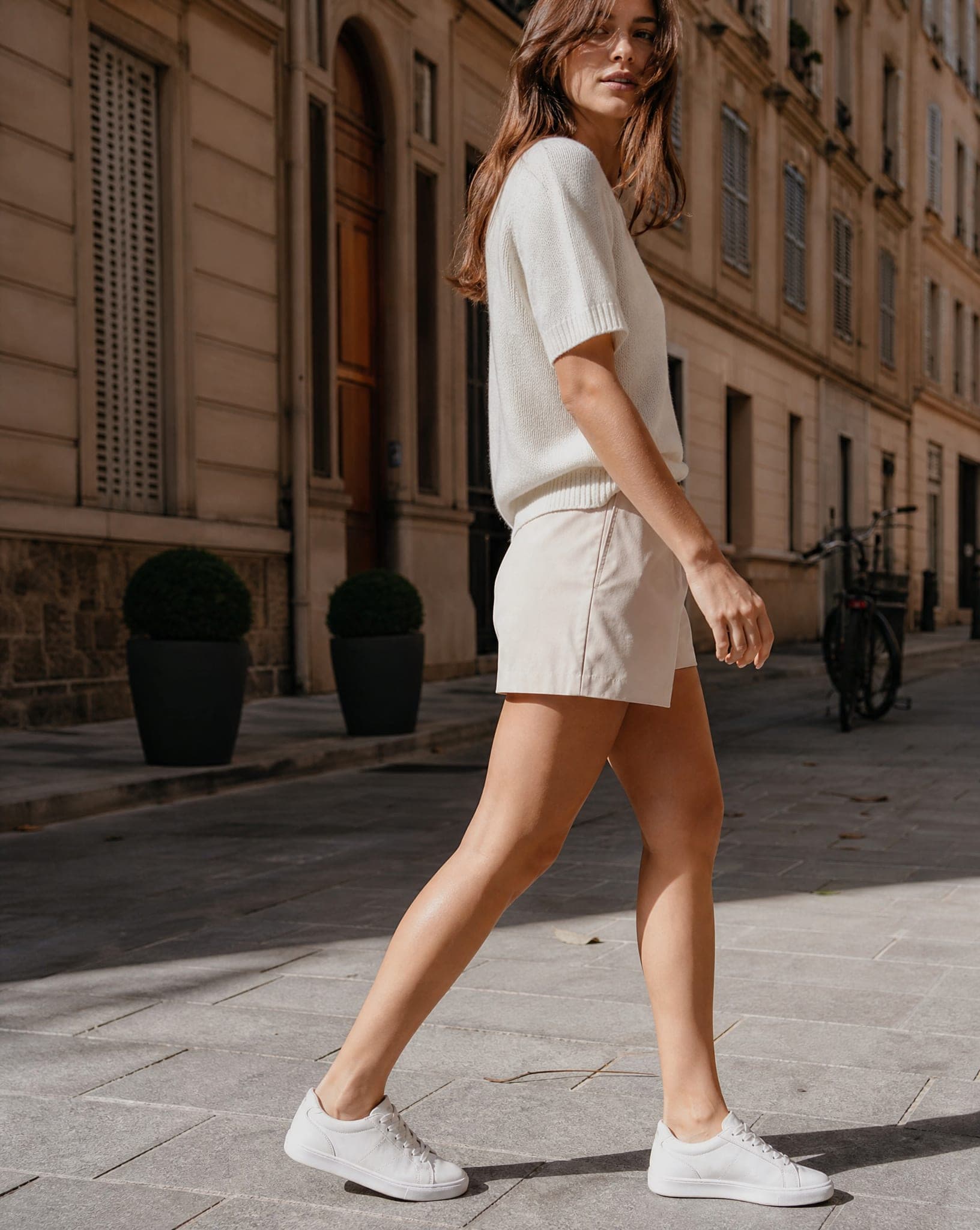
- On foot. How the shoe sits, its height and proportion on a real leg. This is the shot that makes a shopper picture herself in it.
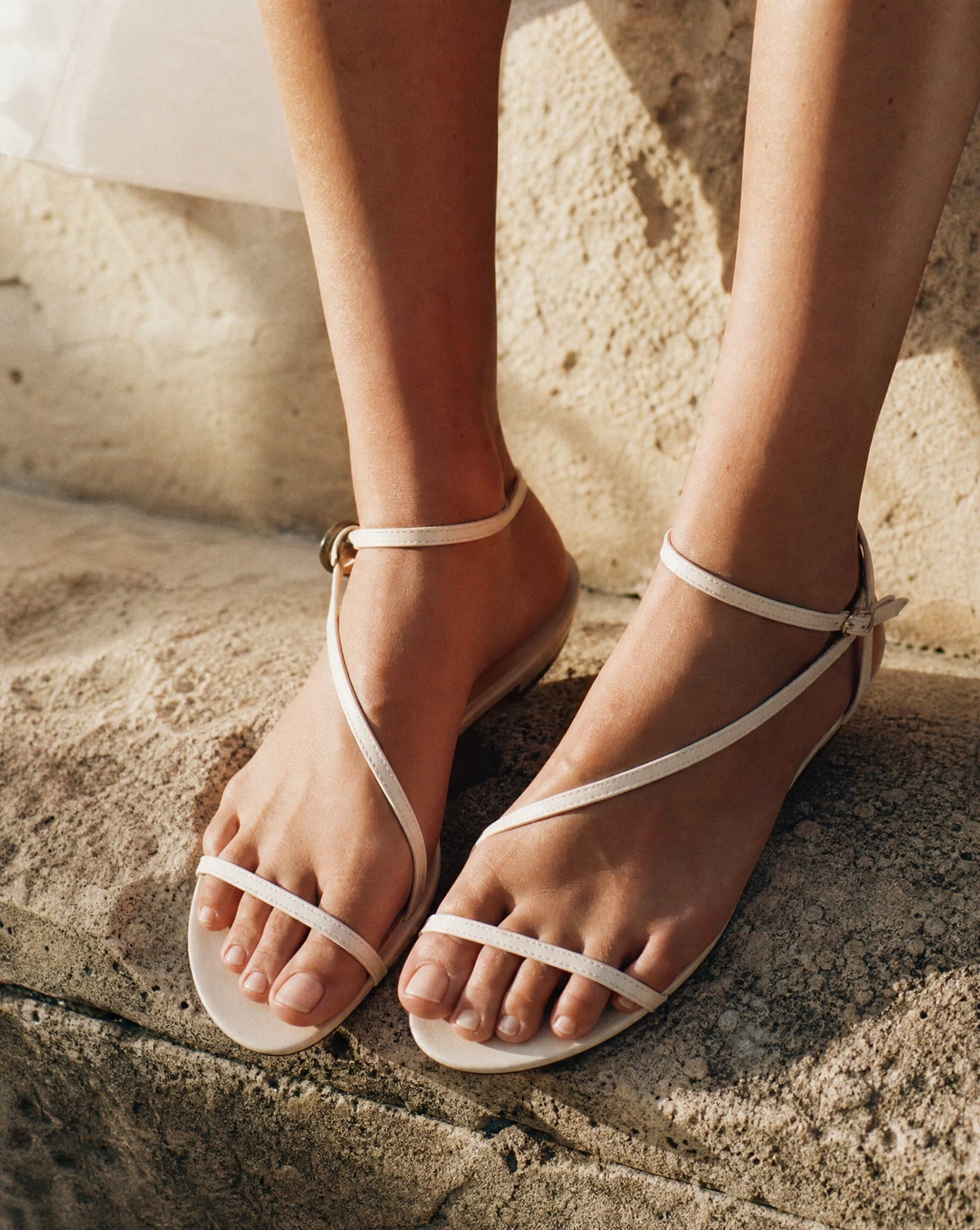
- Detail close-up. Stitching, logo, the grain of the leather or the nap of the suede, buckles. The small details are what signal quality.
How AI shoe photography works
Upload a photo of the shoe and choose the shot: a clean studio image for the product page, a close-up that brings out the texture and stitching, a scene on a city street or a beach boardwalk, or the pair worn by an AI model walking or standing. Each standard-quality image costs 5 credits, so you can make a full set for every pair rather than one hero shot for the bestseller.
One limit worth knowing: the system works from what it can see. If you want an accurate sole or a sharp logo on the heel, those parts need to be in one of your source photos. It will not invent your real tread pattern.
Shooting the source photo
- A plain, light background. A sheet of paper or a white wall, well lit, without hard shadows under the shoe.
- The whole shoe in frame. For the profile, keep the camera at shoe height so the full length from toe to heel shows and the sole line is visible.
- Clean the pair. Dust on suede and scuffs on a white sole show up clearly in a sharp studio image.
- Shoot the details separately. A close photo of the stitching, the logo or a buckle gives the close-up something real to work from.
- Stuff boots and soft shoes. Paper inside keeps the shape so the shaft does not collapse.
Leather, suede, knit and rubber
Every material reads differently in a photo. Smooth leather needs a controlled highlight to show its finish; patent leather reflects everything around it; suede needs low, soft light to show its nap; a knit upper needs enough sharpness to show the weave; rubber soles look flat unless the light skims across the tread. The close-up is where these differences show, so it is worth one per material even when the rest of the set is on a model.
Shoes on a model, in the setting that fits
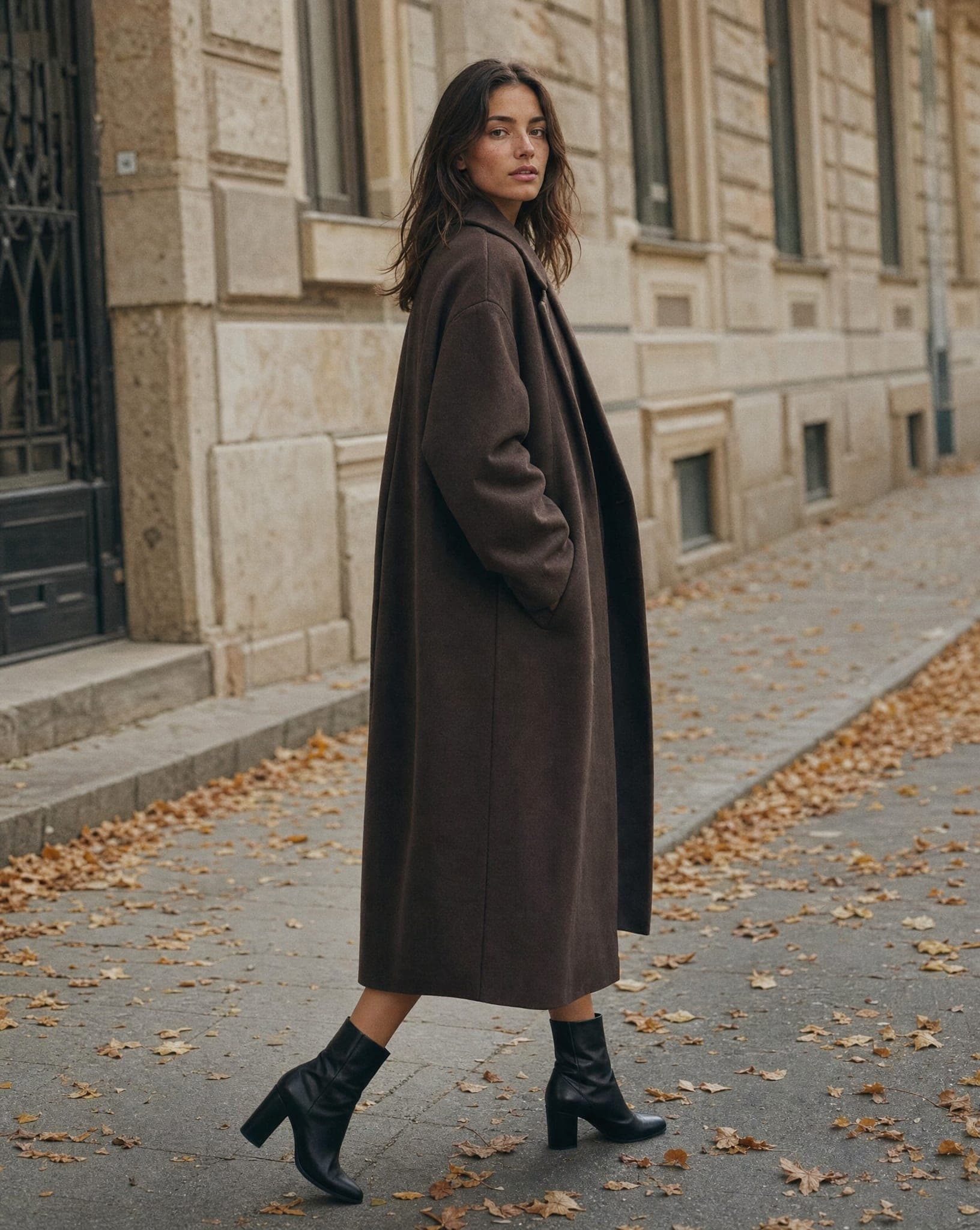
Worn shoes connect with buyers in a way a packshot cannot: they show the proportion and the style in context. Match the setting to the shoe and the channel: white sneakers on a city street for Instagram, heels in a light studio for the product page, boots in an autumn scene for a seasonal campaign. Pick an AI model that fits your customer, and keep the same one across a collection for a consistent catalog.
For a marketplace main image on pure white, use the free white background tool; the free plan also includes 5 standard AI images a month.

Questions
How does AI shoe photography work?
Upload a photo of the shoe and choose a style: a clean studio shot, a close-up of the details, a lifestyle scene, or the pair worn by an AI model. You can create several styles and backgrounds from the same source photo.
Is the quality good enough for Shopify and Amazon?
Yes. The images are high resolution and suitable for online stores, marketplaces and social media. For a marketplace main image that must be on pure white, run the studio shot through the free white background tool.
What kinds of shoes can I photograph?
Sneakers, heels, sandals, boots, classic leather shoes, flip-flops and more. Textured materials such as suede, patent leather and knit come out well when the source photo is sharp.
Can I show the sole?
Yes, if you photograph it. Turn the shoe over and upload a photo of the sole; the system works from what it can see and won't invent your real tread pattern.
How much does it cost?
A standard-quality image costs 5 credits. The free plan includes 5 standard images a month, with no credit card.
Give every pair a full set of photos
Sign up free and get your first 5 images on us. No credit card needed.
Start free