
Virtual try-on for stores: dress your model in new items
Have a good photo of a model and a new collection? Upload the photo and up to 3 items, and get the same model wearing them, in the same pose, light and background.
Your first 5 images free · No credit card needed
Two things called virtual try-on
Virtual try-on means putting a garment or accessory on a photo of a person who never wore it. The phrase covers two different tools. One is for shoppers: a widget on a store’s product page where the buyer uploads a selfie and sees the item on themselves. The other is for the store: dressing your own model photo in new items instead of booking a new shoot.
IsraModel AI does the second. There is no shopper widget to install on your site. You make the photos in the studio, before the product goes live, and use them on the product page, in ads and on social media like any other product photo.
Before and after: the item joins the look
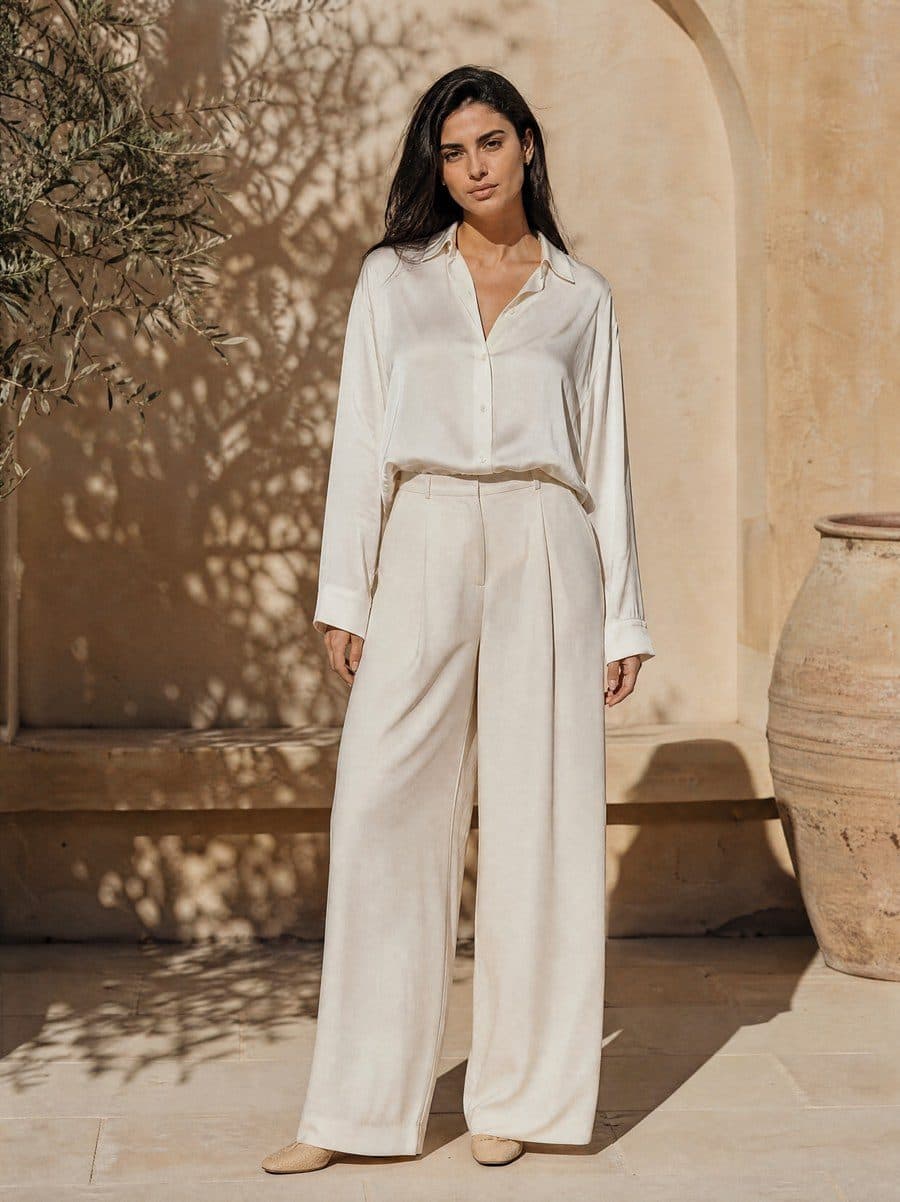
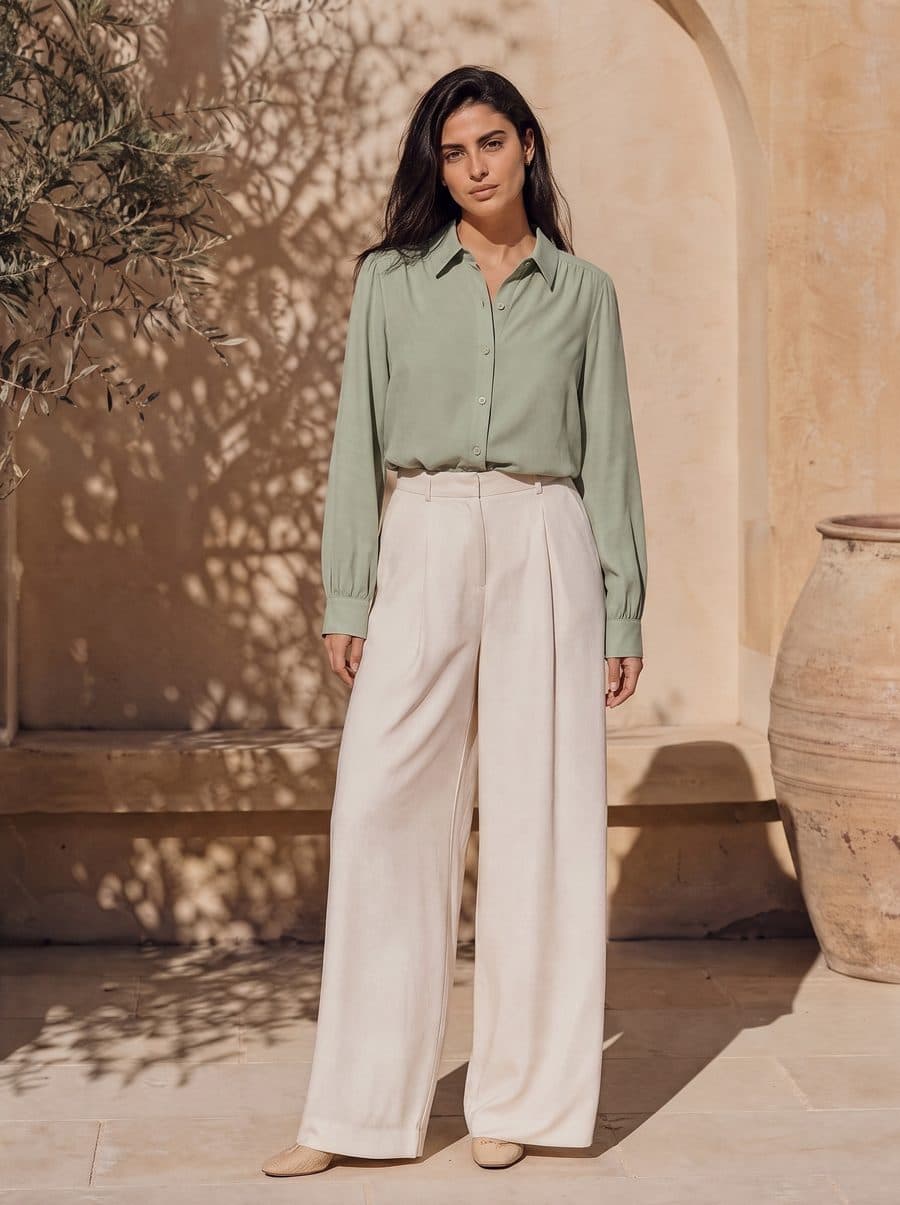
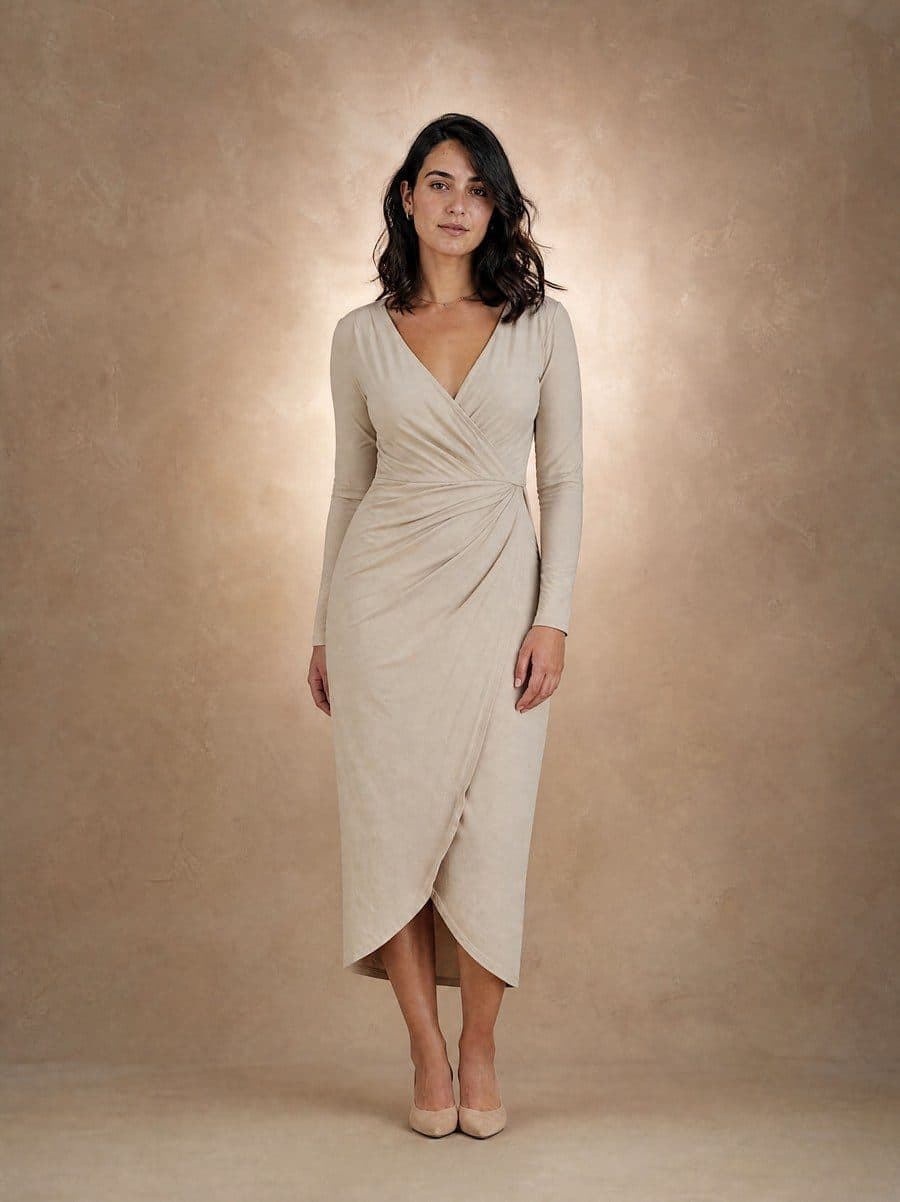
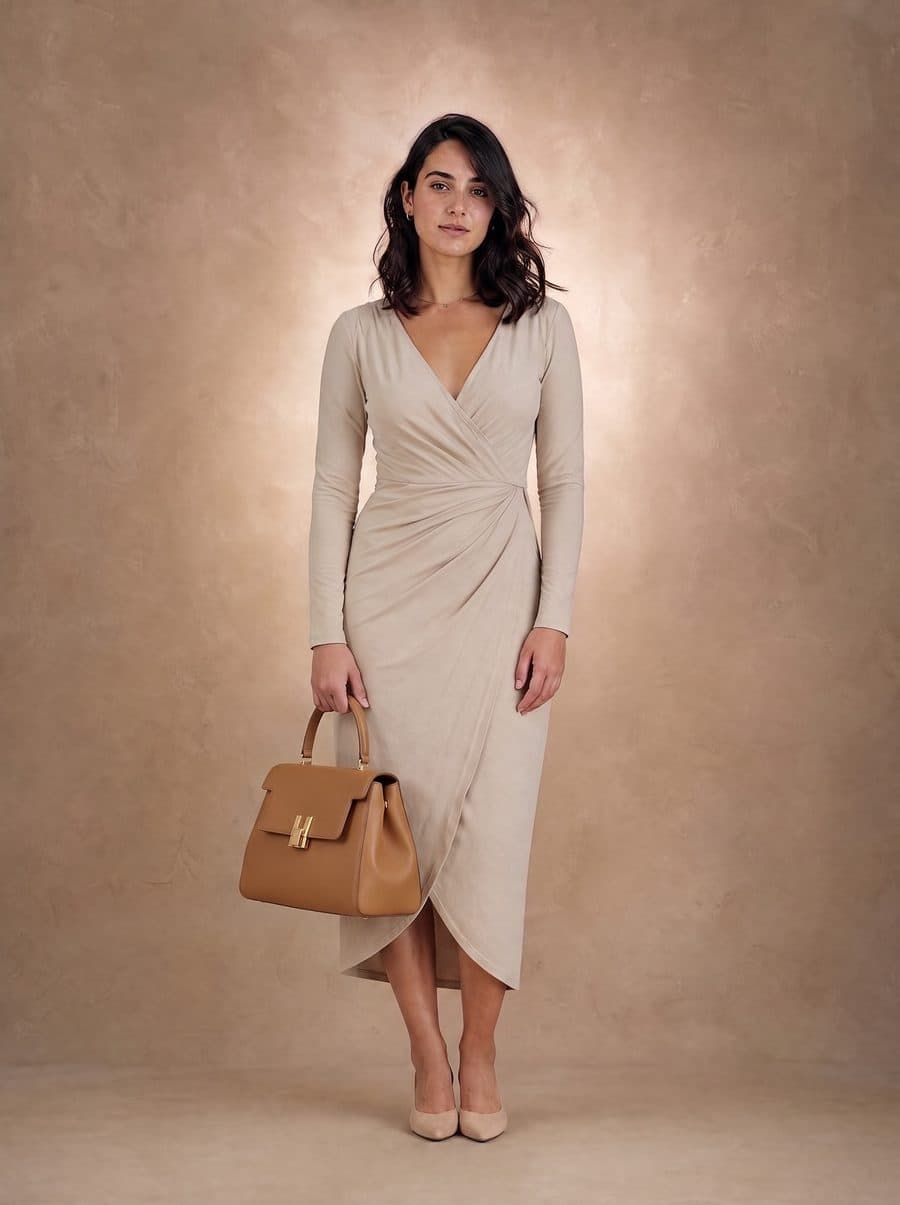
In the first example a green shirt photographed on a hanger replaced the white blouse; the trousers, the pose and the courtyard stayed as they were. In the second, a leather bag photographed on a windowsill was added to the look and the dress did not change. Both were made in the studio on the first attempt.
How to dress your model in a new item
- Upload a photo of the model. Full body, face visible, one person in the frame. It can be from an earlier shoot of your store, or an AI model you created.
- Add up to 3 items, each in its own photo: on a hanger, on a surface or on a mannequin. Mark what each one is (top, trousers, shoes, bag) or let the system recognize it.
- Keep the pose and background, or change them. By default the original pose and background stay. You can also pick one of 12 poses or a background from the catalog.
- Generate. A high-quality image costs 6 credits. Each run makes one image and takes a few minutes.
What happens to what she is already wearing
- Shirt or top: replaces the top she is wearing.
- Trousers or skirt: replaces the bottom half.
- Dress: replaces the outfit, top and bottom.
- Coat or jacket: replaces the outer layer, or is added over her clothes if she has none.
- Shoes: replace her shoes, or are added if she is barefoot.
- Hat, bag, sunglasses and accessories: are added to the look; the rest of the outfit does not move.
How to get a faithful result
- Crop other people out of the item photo. If the item was photographed on someone else, crop their face out before you upload it. When the item photo shows a clear face, the system may dress that person instead of your model.
- Keep the original pose. In the original pose the body and face are kept most precisely. A new pose rebuilds the body, and the likeness is less exact.
- Avoid print on print. When a boldly printed dress replaces another printed dress, some of the old pattern can survive. If it does, start from a photo where the model wears something plain.
- Check against your stock. Compare color, print and length with the real item before publishing. A beautiful photo of an item that looks different from what arrives brings returns.
- Use only photos you have the rights to. A photo from an earlier shoot belongs to the model and the photographer under your agreement with them, so check you may edit and publish it with new items. If not, an AI model of your own solves it.
Questions
Can my shoppers try clothes on a photo of themselves?
No. There is no widget for your site where a shopper uploads a selfie. The tool is for store owners: you dress your model in your items and upload the finished photo to your store, like any other product photo.
Does the model stay the same person?
Yes, when the pose stays the original: the face, hair, body and background are kept and only the items change. A new pose rebuilds the body, so the likeness is less exact. If the item photo shows another person with a visible face, crop it out before uploading.
How much does virtual try-on cost?
One high-quality run costs 6 credits and makes one image. The free plan includes 25 credits a month, which is 4 high-quality try-ons, with no credit card.
Can I add sunglasses or a bag to the look?
Yes. Mark the item as sunglasses, a bag or an accessory and it is added to the look while the rest of the outfit stays as it is.
What about rings and other jewelry?
Jewelry runs through the jewelry studio instead: you upload the piece and get it on a model, or on a hand or neck in the skin tone you choose. That is also a photo for your store, not a try-on for the shopper.
Can I use a photo of a model from an earlier shoot?
Technically yes, and the result is best when the photo is sharp, full-body and shows the face. But the usage rights belong to the model and the photographer under your agreement, so check that you may edit and publish it with new items.
The new collection, on the model you already have
Sign up free and get your first 5 images on us. No credit card needed.
Start free