
AI ring photography: on the hand, up close, on white
Rings are the hardest jewelry to photograph: tiny, reflective, and impossible to judge without a finger for scale. Photograph the ring with your phone and get it back on a model hand, as a close-up of the stone, and on a clean background.
Your first 5 images free · No credit card needed


Why rings are hard to photograph
A ring is a few millimetres of polished metal, often with a stone that throws light in every direction. A phone pointed at it picks up the room, the window and the photographer in the reflection, and a stone that sparkles in the hand turns into a white dot or a grey blur on the screen.
Then there is size. A solitaire photographed alone, filling the frame, looks the same whether the stone is two millimetres or six. Shoppers know this, which is why a ring listing without a photo on a hand gets questions, hesitation and returns.
The three ring photos a product page needs
- On the hand. The ring on a finger, so the buyer sees the band width and the stone size against something they know. This is the photo that answers “how big is it?”.
- A close-up. The stone, the prongs or bezel, the engraving, the finish of the band. This is the photo a hesitant buyer zooms into before paying.
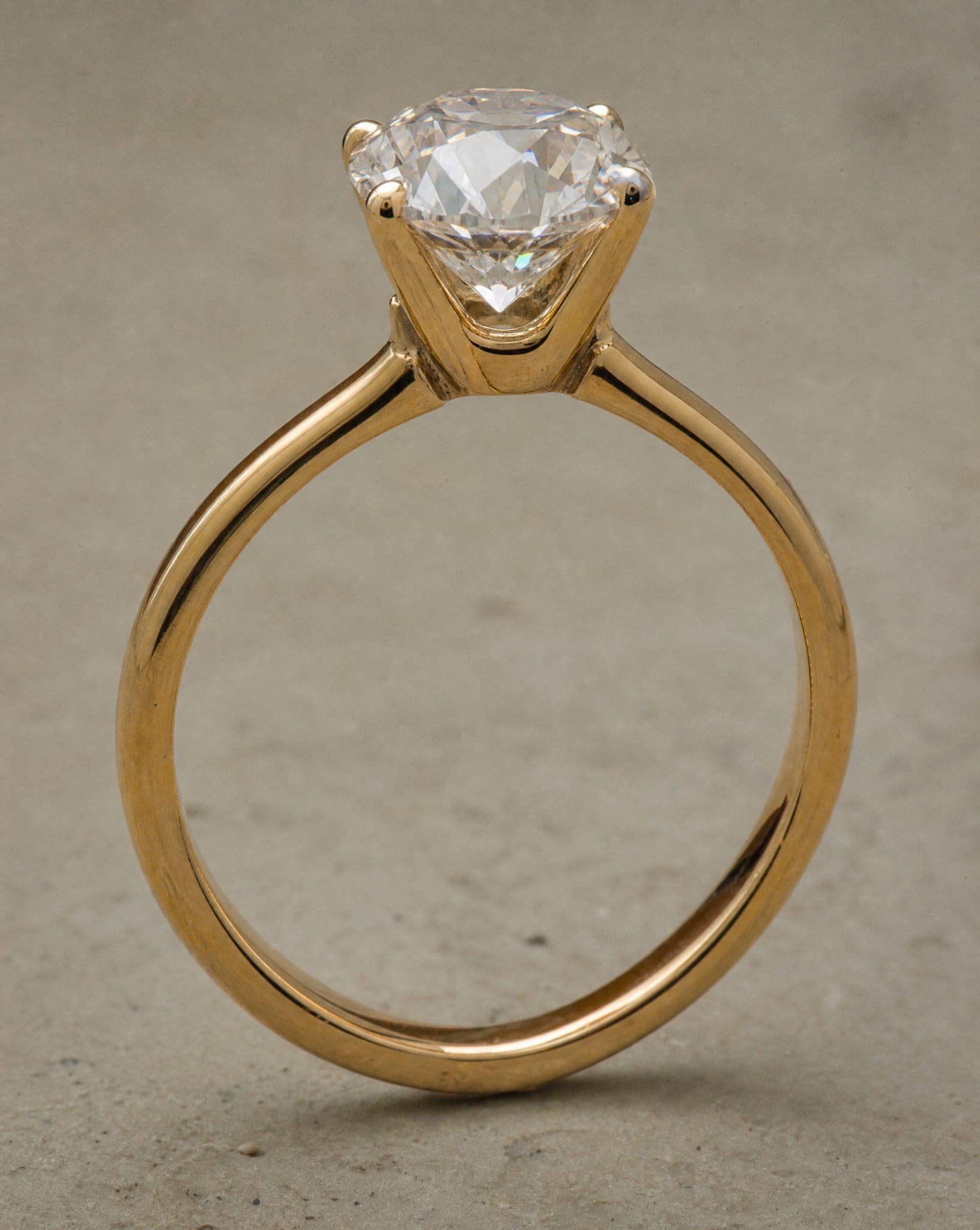
- A clean studio shot. The ring alone on a plain background, for the listing thumbnail, marketplaces and a consistent collection page.
Rings on a model hand, in three poses
In the jewelry studio, the On our model screen has a ring setting that puts the ring on one finger of the model’s hand at its real size, the setting turned toward the camera. You pick the pose:
- Hand by the face: a close beauty portrait with the hand raised beside the face, so the ring is one of the largest, sharpest details in the photo.
- Hand in the hair: a natural movement, the hand lifted to the hair near the temple.
- Hand at the neck: the hand resting on the collarbone, calm and editorial.
You also choose the background colour, what the model wears and how the hair is styled. The model’s hand is always the model’s own, never a copy of the hand in your photo. The On the body screen is the other worn option: you choose where the piece is worn and the model, and the ring is shown on the hand. More on worn shots in jewelry on model.

How to photograph the ring before you upload it
- Clean it first. Fingerprints on a polished band and dust in a setting show up in the result far more than they do to the eye.
- Soft window light. Direct sun burns the metal white. A window to the side with a sheet of white paper opposite it is enough.
- Stand it up. A small piece of putty or a folded card keeps the ring upright so the stone faces the phone.
- Move closer, do not zoom. Digital zoom throws away detail. Rest the phone on something steady and tap to focus on the stone.
- Shoot the top and the side. The top view shows the stone; the side view shows the profile of the setting and the band.
Keeping the ring exactly as it is
A ring photo is a promise. The generated image has to show the same metal colour, the same stone and the same setting the customer will receive. The studio asks for the piece at its real size and describes only what it can see in your photo, so that a fine band stays fine and a small stone stays small. AI can still get a detail wrong, so compare every result with the ring in your hand before you publish it, and regenerate if anything changed.
A standard image costs 5 credits, and the free plan includes 5 standard images a month, enough to try the on-hand shot and a close-up on a few of your rings. See pricing for the plans.
Questions
Can AI put my ring on a model hand?
Yes. Upload a phone photo of the ring, choose the On our model screen in the jewelry studio and set the piece to Ring. The ring is placed on one finger of the model, at its real size, in the pose you pick.
Will the stone and the setting stay the same?
They should, and you should check. The studio keeps the piece at its real size and describes only what it sees in your photo. Compare each result with the real ring and regenerate if anything changed.
Do I need a macro lens?
No. A sharp, well-lit phone photo is enough. Move the phone close instead of zooming, and use soft window light.
Can I upload several rings in one photo?
Photograph one ring at a time. A photo of the piece on its own, shot straight on with its shape clearly visible, gives the most faithful result.
Is it free to try?
Yes. The free plan includes 5 standard images a month, with no credit card.
Put your ring on a model hand
Sign up free and get your first 5 images on us. No credit card needed.
Start free